
There are two ways to mark a number as wrong in your database:
To mark an email address or phone number as wrong:
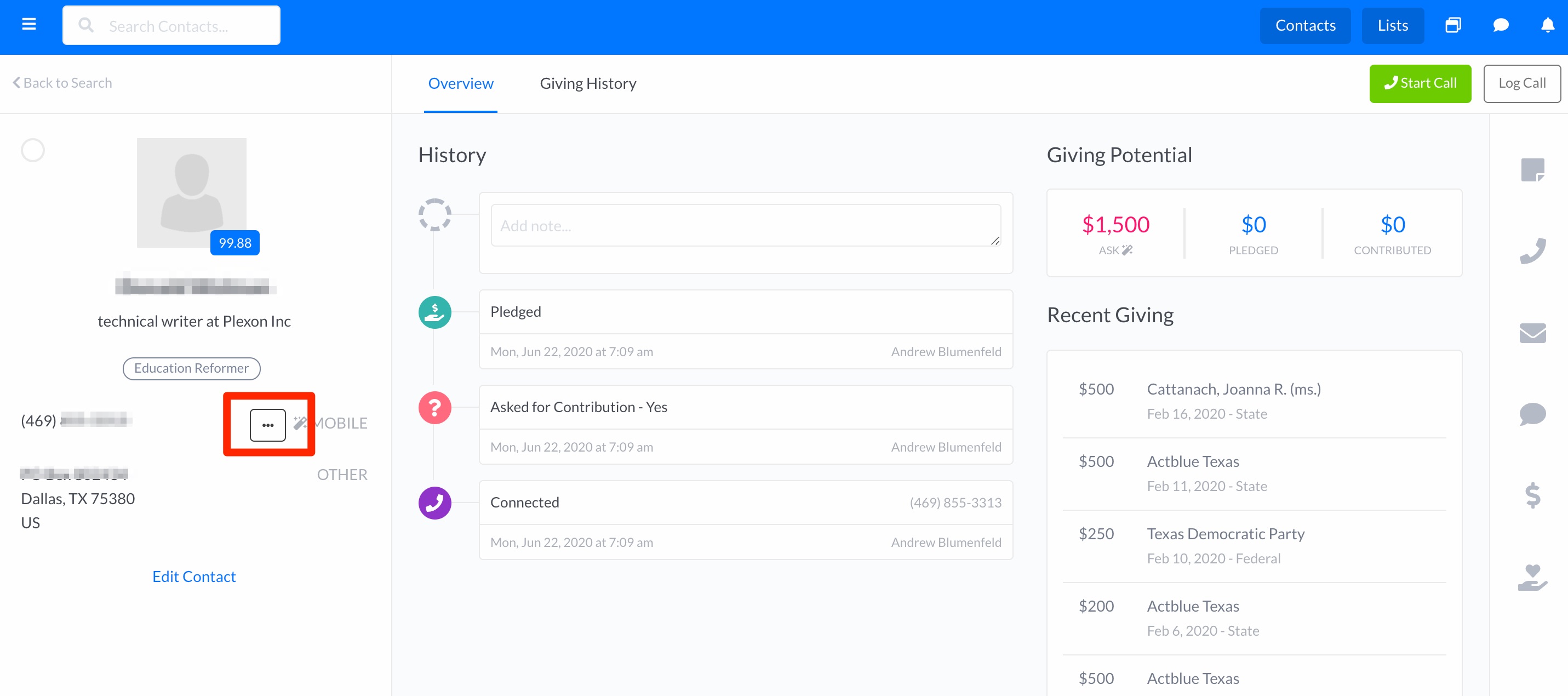
- Hover your mouse over the email address or phone number until you see a "..." icon
-
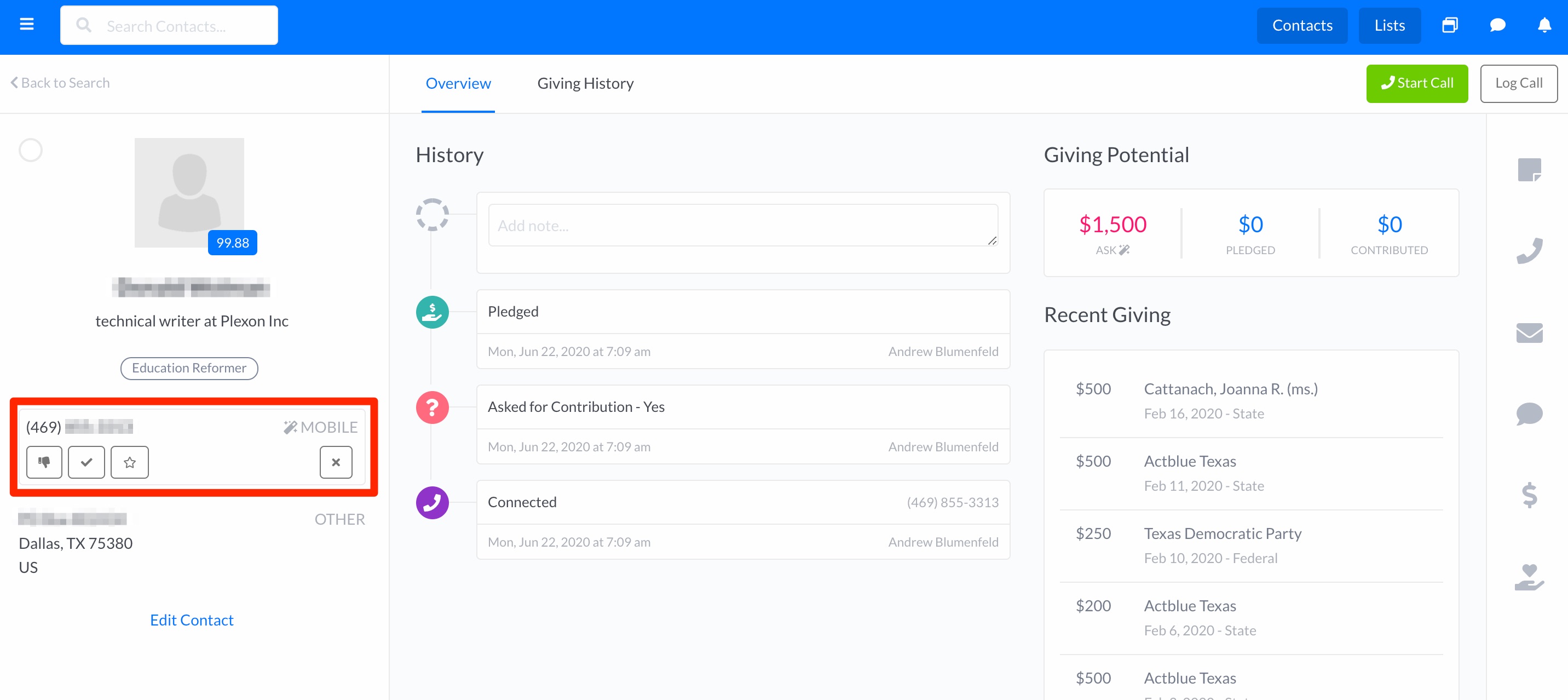
- Click the icon
- Click the thumbs-down icon.
- Click X to finish.
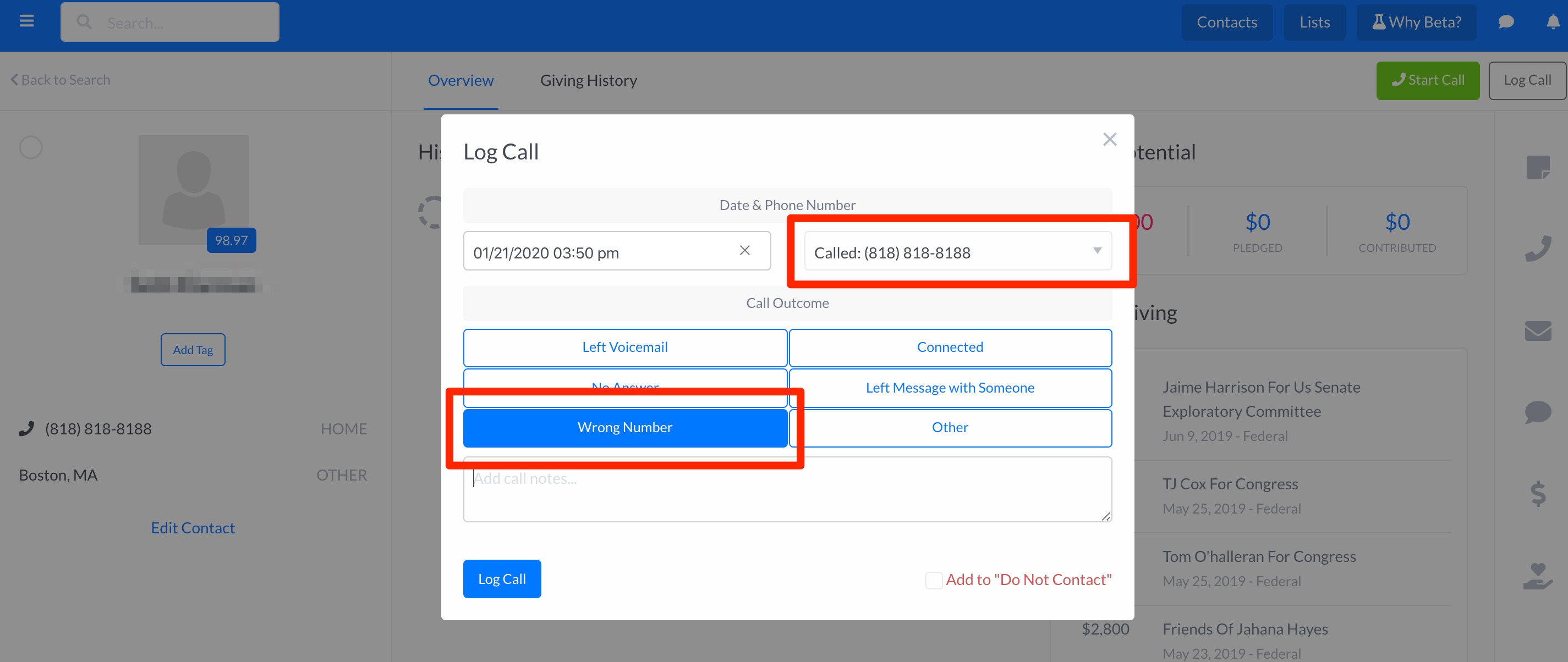
- While logging a call, select the Wrong Number outcome (make sure the intended number is noted on the call log).
Displaying Wrong Numbers
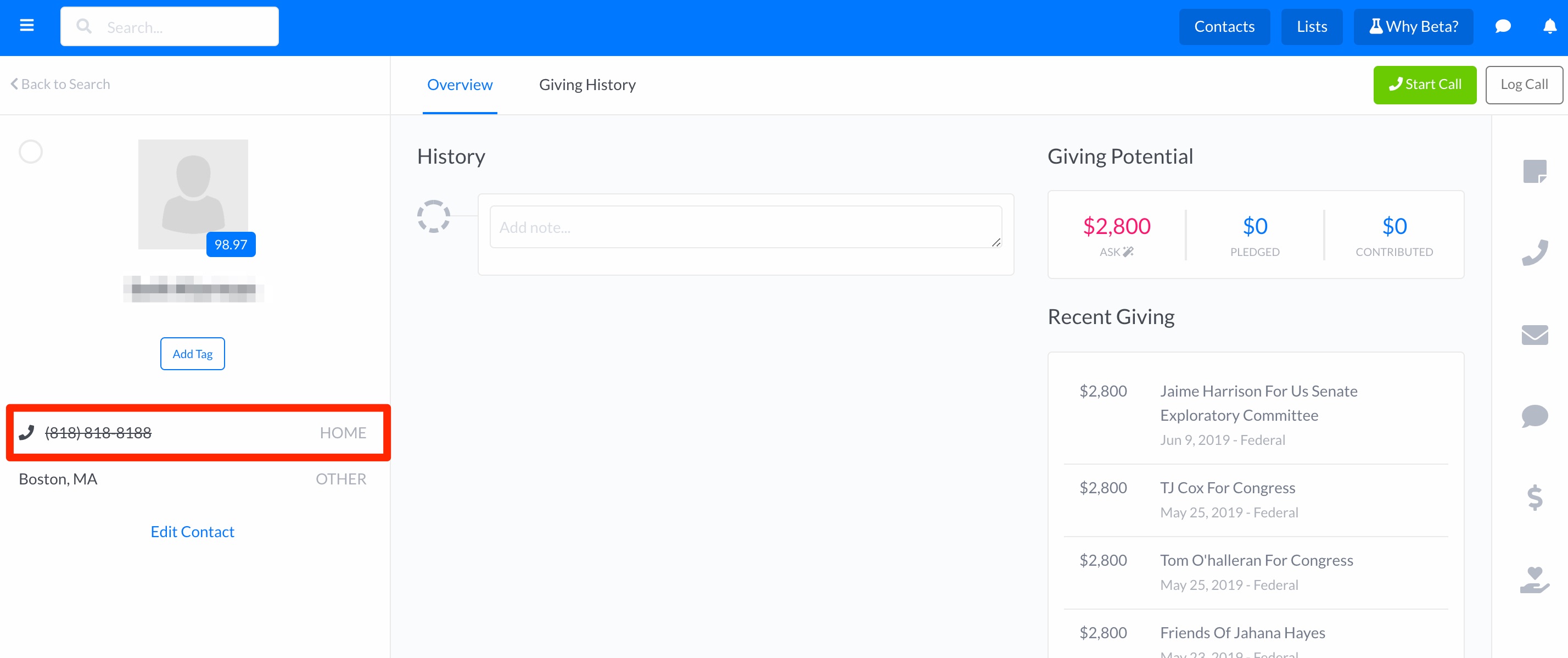
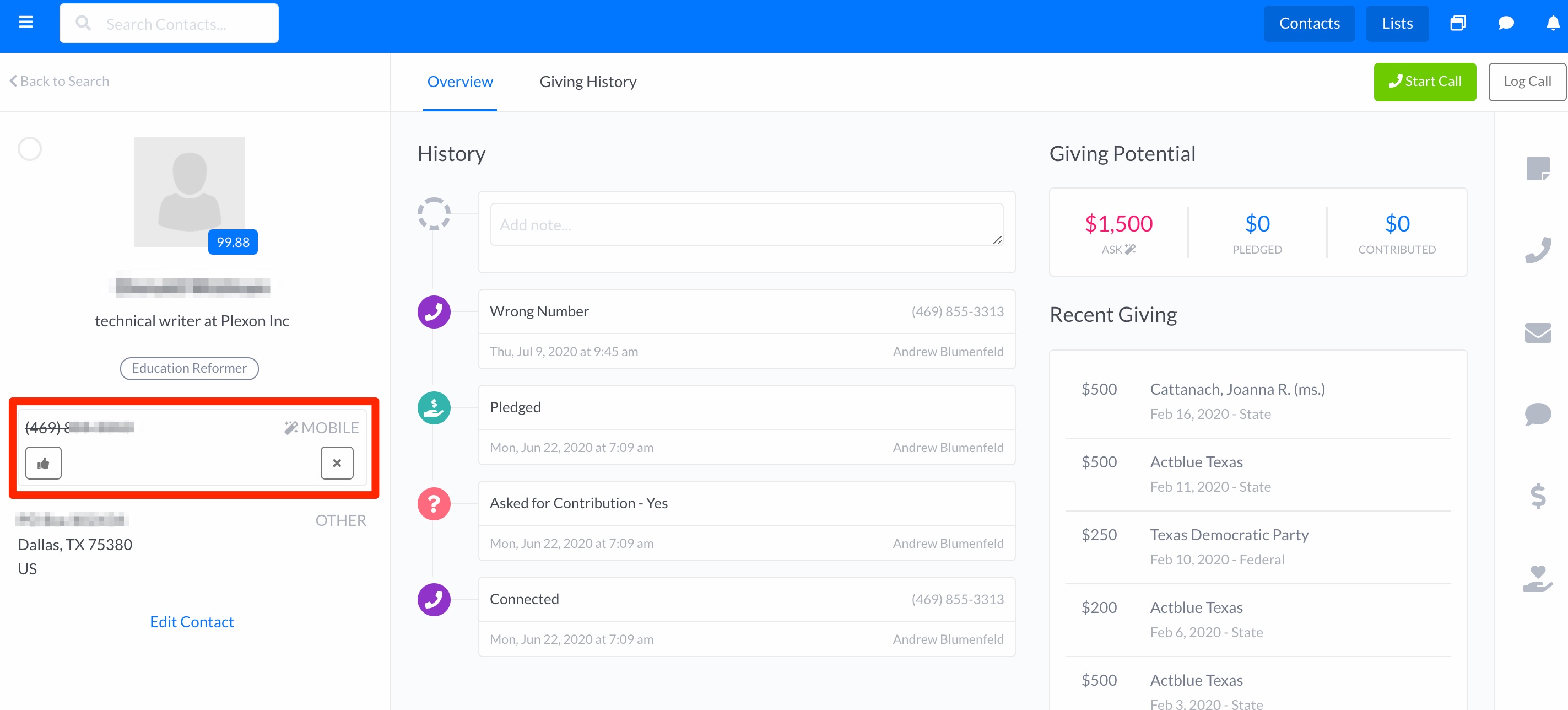
When a number is marked as wrong, it will appear on the contact with a strikethrough. Additionally, when searching for contacts with an existing phone number in your database, numbers that have been marked as wrong will automatically be excluded from the search.
Undoing a Wrong Number
Hover your mouse over the email address or phone number until you see a "..." icon, then select the thumbs-up icon.
Comments
0 comments
Please sign in to leave a comment.